Build Environment
Prepare build environment on a PC and install dependencies.
Preparation
Prepare an X64 computer(or setup a virtual machine in Virtualbox ), install Ubuntu 22.04 LTS.
- Hardware: RAM ≥ 16 GB, CPU cores ≥ 4, Hard Drive ≥ 500 GB
- Software: Ubuntu 22.04
Dependencies Installation
- Login into Ubuntu desktop, open Terminal, su to the root user.(or use sudo to install dependencies.)
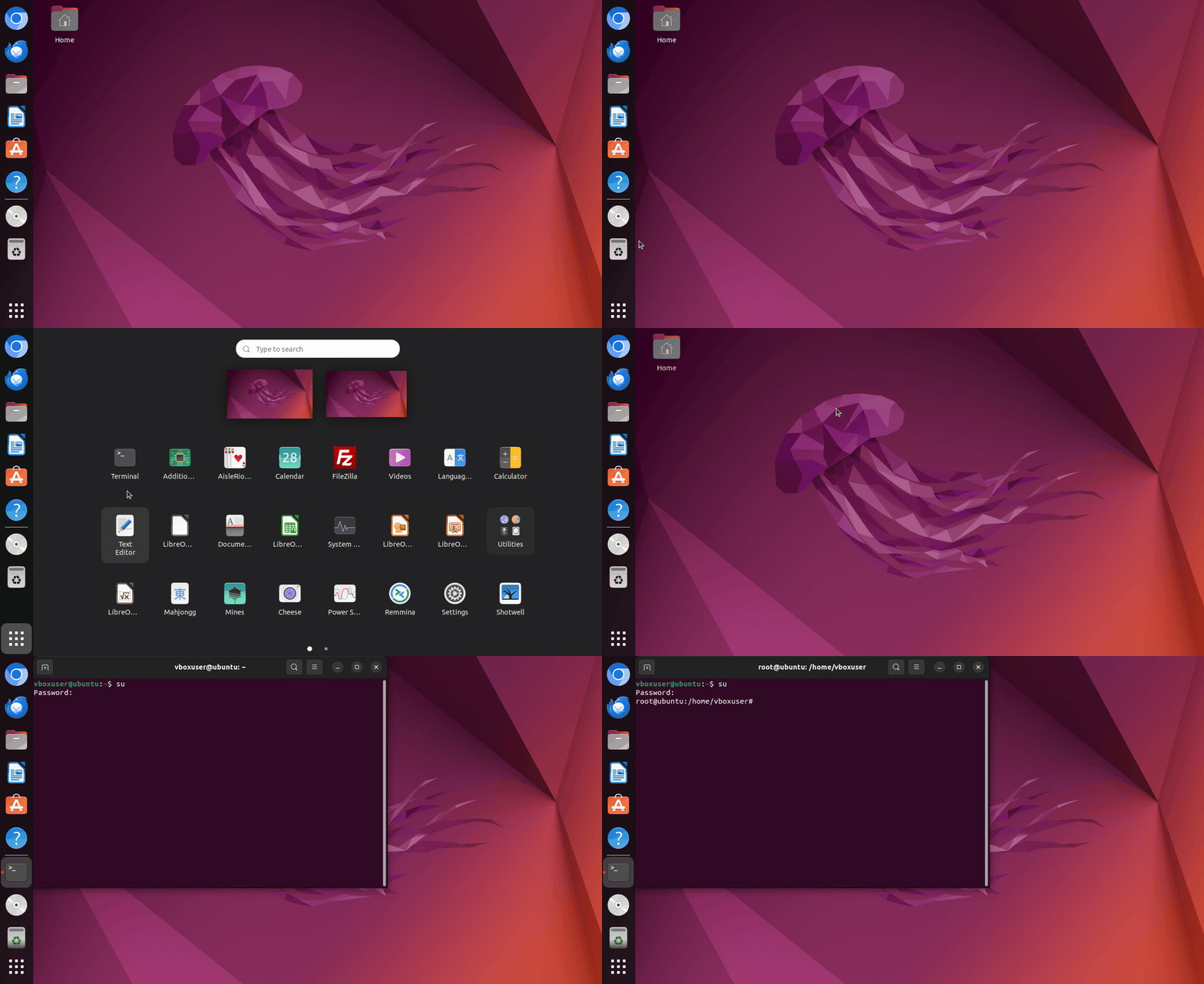
2.Input the following commands in sequence to install dependencies.
sudo apt install git bc bison build-essential curl flex libsdl1.2-dev
sudo apt install g++-multilib gcc-multilib gnupg gperf libncurses5-dev
sudo apt install imagemagick lib32ncurses5-dev lib32readline-dev squashfs-tools
sudo apt install lib32z1-dev liblz4-tool xsltproc libssl-dev libwxgtk3.0-gtk3-dev
sudo apt install libxml2 libxml2-utils schedtool lzop pngcrush rsync
sudo apt install yasm zip zlib1g-dev python3 device-tree-compiler
sudo apt install python-pip gawk openjdk-8-jdk u-boot-tools patchelf expect
sudo pip install pyelftools
Q&A
- Can't open Terminal in Ubuntu 22.04?
For people using virtual machine as build env,press Ctrl+Alt+F3 on the virtual machine page to enter command-line mode, then follow the illustrated steps.

Change en_US to en_US.UTF-8, save and exit, then enter reboot to restart.
