System Login
Account and Password
Default user and passwords for different systems are as follows:
| System | Username | Password |
|---|---|---|
| Debian11 | linaro | linaro |
| Debian11 | root | root |
| Ubuntu20.04 | kickpi | kickpi |
| Ubuntu20.04 | root | root |
MobaXterm
Board UART Pins
Before performing UART debugging, please locate the UART pins as described.
K7
- Pinout Diagram

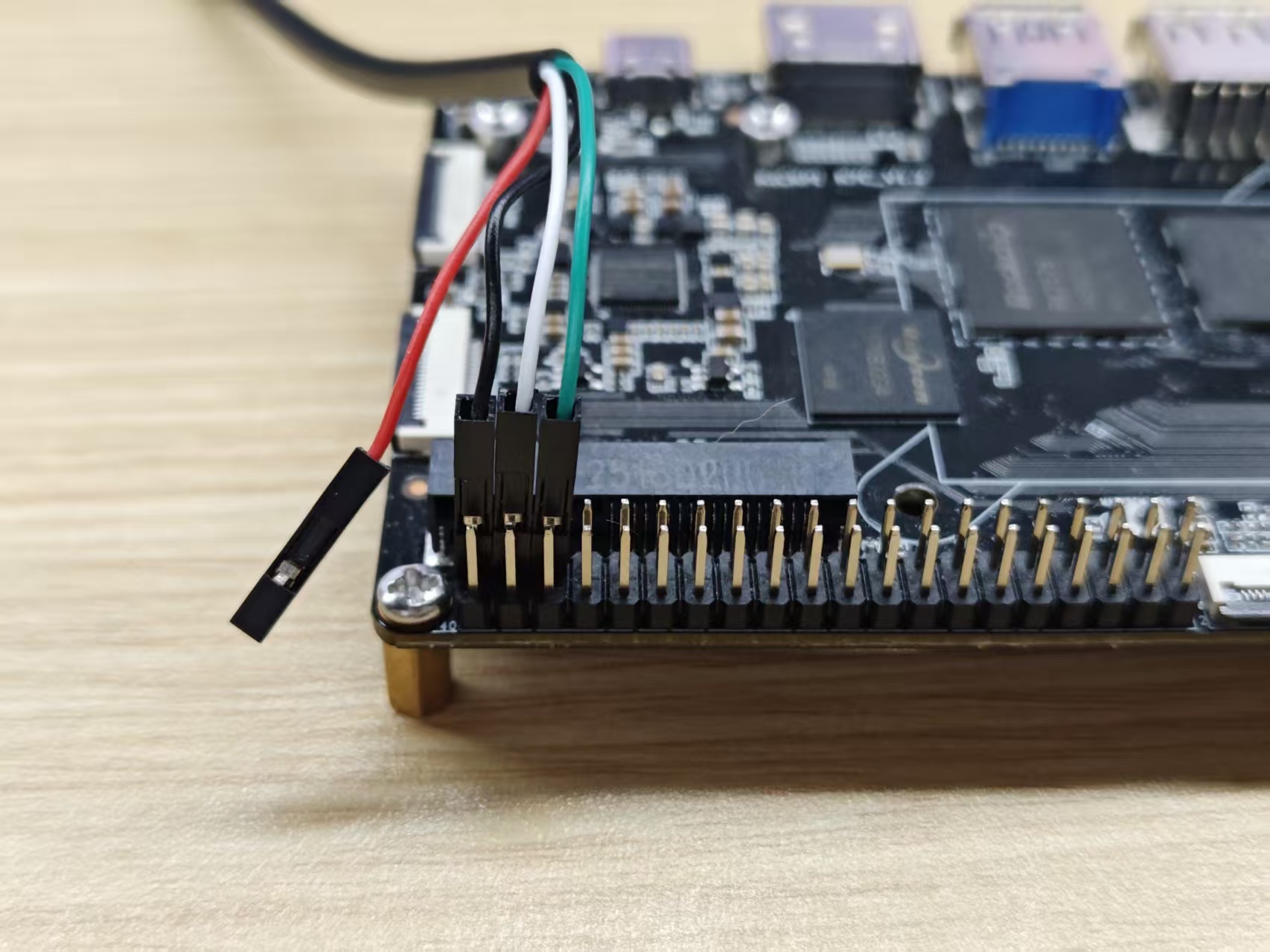
- Physical Diagram

K7C
- Pinout Diagram

- Physical Diagram

Required Tools
- Software: MobaXterm
- Hardware: Serial Debug Cable
Note
Red: VCC (Do not connect); Green: TX; White: RX; Black: GND

Connection Setup
K7
- Schematic Diagram

K7C
- Schematic Diagram
MobaXterm Configuration
1. Click Session to create a new session window.
2. Select the session type as Serial.
3. Select the correct COM port number (Check in Windows Device Manager under Ports (COM & LPT)).
4. Set the Speed (bps) to 1500000.
5. Start the session.
As shown below, after clicking OK, the command line input window will open.

With the board powered on and connected to the PC, MobaXterm will output boot information as follows.

Once connection is successfully established, press Enter in the command line interface to input commands. You have now successfully logged into the board's console.

ADB
The Android system supports ADB functionality. ADB (Android Debug Bridge) is a versatile command-line tool for Android development and debugging. It allows communication with a device over USB or a network for operations like app installation, file transfer, and command execution.
Required Tools
- Hardware: USB Type-C Cable
- Software: ADB_Tool
Hardware Setup
Connect one end of the USB Type-C cable to the board and the other end to your host PC.
KICKPI-K7

KICKPI-K7C

ADB Installation
1. Extract the adb-tools.rar archive (e.g., to D:\ADB\adb-tools on Windows).
2. Open a Command Prompt (cmd) window and navigate to the extracted directory.
cd D:\ADB\adb-tools
3. Run the following command. A successful output confirms the installation.
adb --version

4. Start an ADB shell session.
.\adb.exe shell