Linux QT Development Environment Setup
Warning
Before starting Qt development, make sure you understand the differences between Qt's licenses: LGPL-3.0, GPL, and Commercial. Choosing the wrong tools or versions may lead to legal issues. You are solely responsible for your choices.
Qt is a cross-platform C++ application development framework widely used for desktop, embedded, and mobile devices. Setting up the Qt development environment on a Linux system is a relatively straightforward process, following a series of steps to ensure all dependencies are correctly installed.
Preparation
Tip
Installation operations need to be performed in an internet-connected environment.
- Operating System: Linux distribution (Ubuntu, etc.)
- Package Manager: e.g., apt, yum, etc.
Dependency Installation
Before installing Qt, you need to set up the relevant environment and dependencies.
1. Install the basic compilation toolchain.
Verify GCC/G++: No separate installation is required, as build-essential already includes them:
2. Install the clang compiler.
3. Install make-guile.
4. Install cmake.
Install Qt
1. Update the package list.
2. Install the Qt 5 core development libraries with the following command.
3. Install all packages starting with qt5.
4. Install missing Qt QML/Quick development libraries.
Tip
The commands here need to be selected for installation based on the system architecture.
// Linux desktop system (x86_64)
sudo apt install -y qtdeclarative5-dev
sudo apt install -y qtquickcontrols2-5-dev
// aarch64 embedded board
sudo apt install -y qtdeclarative5-dev:arm64
5. Verify the installation. Open a terminal and run the following command to confirm that Qt is correctly installed.
qmake --version
// Qt version
QMake version 3.1
Using Qt version 5.15.3 in /usr/lib/x86_64-linux-gnu
6. (Optional) Install commonly used Qt5 modules. If you need specific features (such as networking, databases, UI components, etc.) during development, install the corresponding modules as a supplement.
// Example: SQL, graphical interface extension modules
sudo apt install -y libqt5sql5-dev libqt5widgets5-dev
Install Qt Creator
Qt Creator is the development IDE for Qt. It provides an intuitive user interface for creating and managing Qt projects.
1. Install Qt Creator.
2. Open a terminal and enter the following command to launch Qt Creator.

Configure the Development Environment
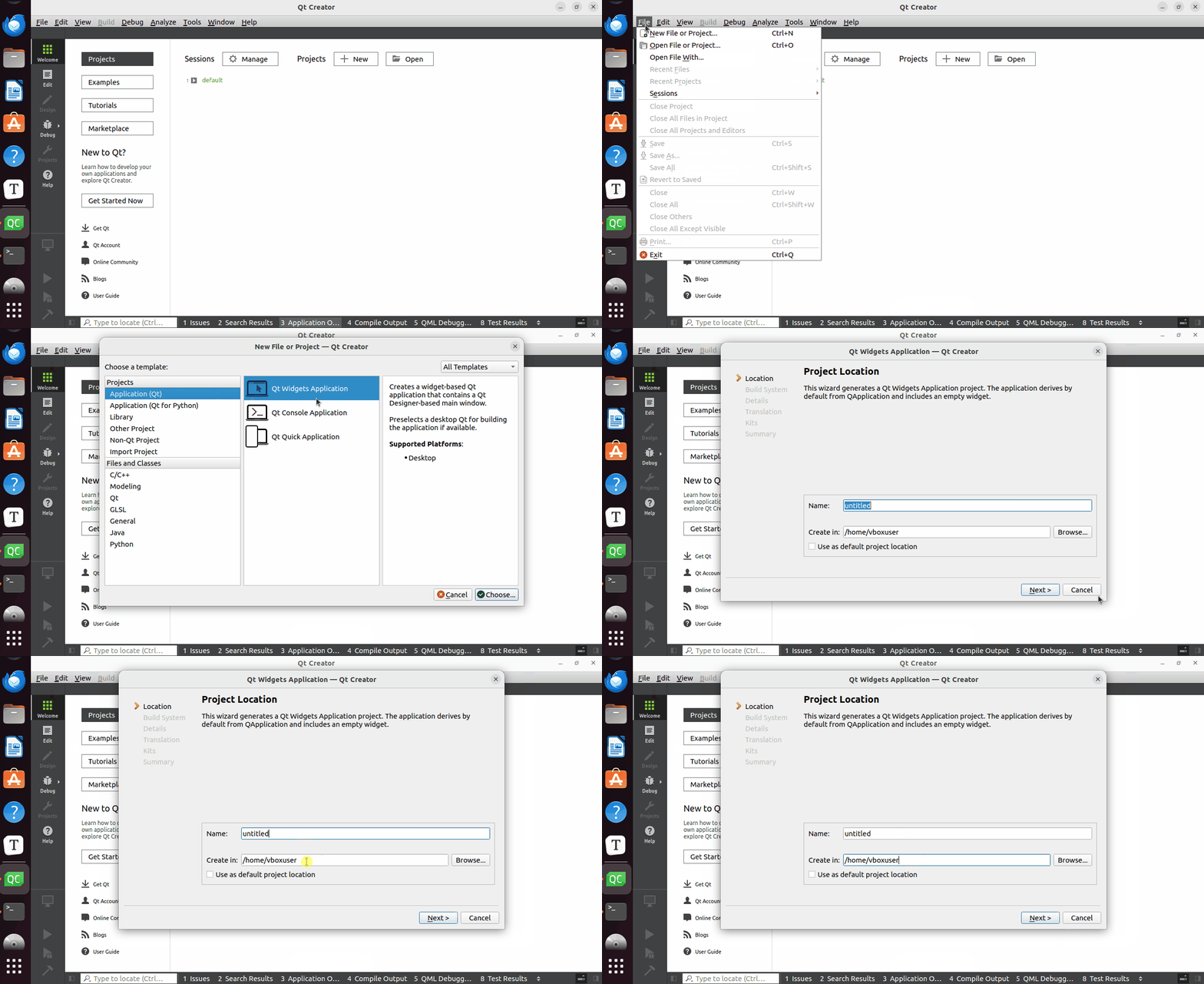
1. Create a New Project: Open Qt Creator, click "File" > "New File or Project" > "Qt Widgets Application". Follow the prompts to enter the project name and save path.
2. Configure the Project: In the "Projects" menu, you can configure the compiler, build directory, debugger, etc.

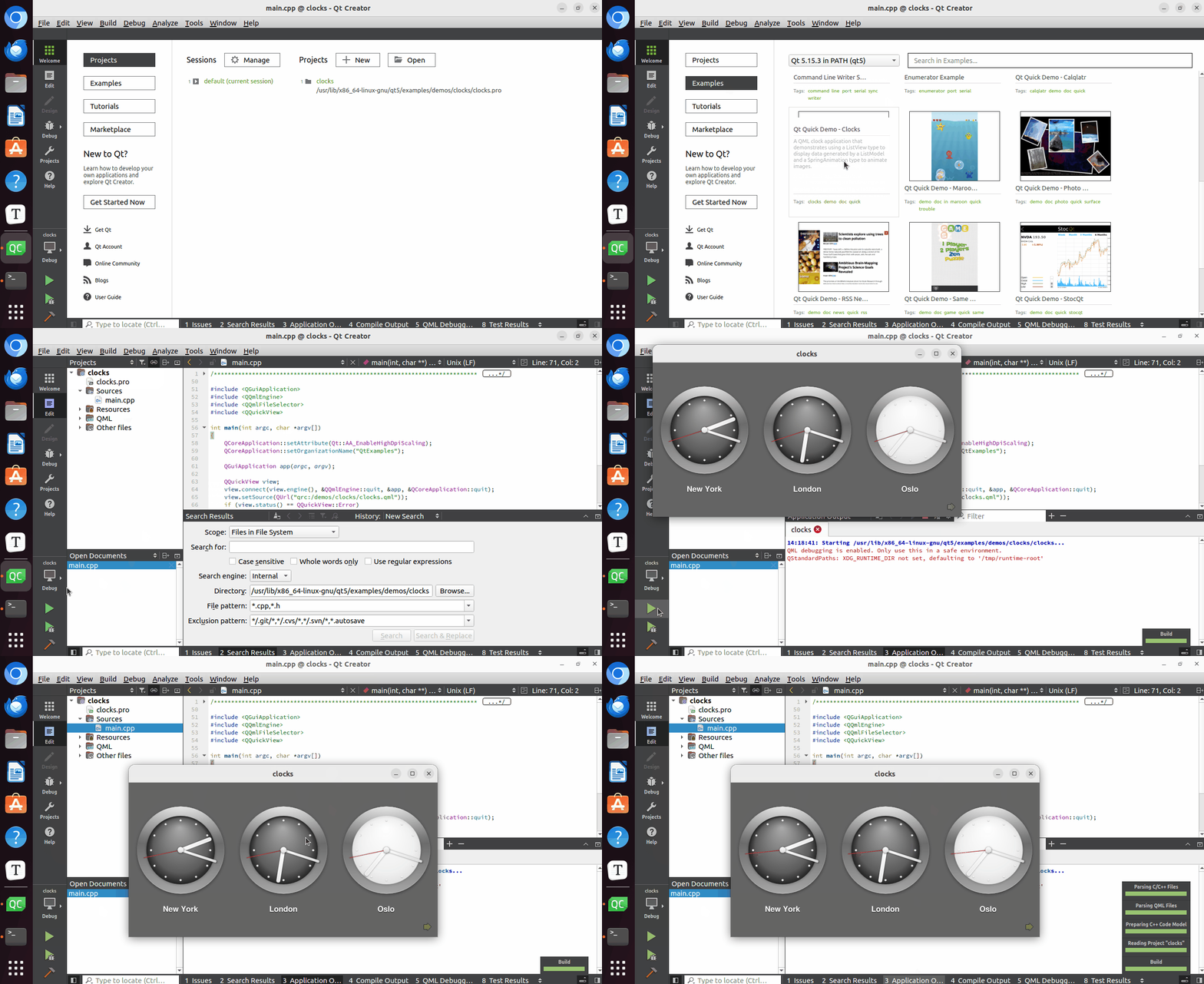
3. Run a Program: In the "Examples" menu, select an example project to run.
Warning
When running different example projects, they may fail to run due to missing related libraries or classes. You will need to make adjustments based on the error messages.