LINUX V1.2 SDK Compilation
SDK (Software Development Kit) is a collection of development tools provided for a specific software framework, hardware platform, or operating system, designed to help developers create applications more efficiently.
Build Environment Setup
Install Ubuntu on a PC for SDK compilation.
- Hardware: PC with RAM ≥ 16 GB, CPU cores ≥ 4
- Software: Ubuntu 18.04, VM disk space ≥ 100GB
Note
Ubuntu 22.04/20.04 have been tested and produce numerous compilation errors. Their use is not recommended.
Compilation under WSL has not been tested or verified. Its use is not recommended.
Install dependencies
sudo apt install git bc bison build-essential curl flex libsdl1.2-dev
sudo apt install g++-multilib gcc-multilib gnupg gperf libncurses5-dev
sudo apt install imagemagick lib32ncurses5-dev lib32readline-dev squashfs-tools
sudo apt install lib32z1-dev liblz4-tool xsltproc libssl-dev libwxgtk3.0-dev
sudo apt install libxml2 libxml2-utils schedtool lzop pngcrush rsync
sudo apt install yasm zip zlib1g-dev python device-tree-compiler
sudo apt install python-pip gawk openjdk-8-jdk u-boot-tools patchelf expect
sudo pip install pyelftools
Obtain SDK Source Code
Click to download SDK. The Tina 5.0 Linux SDK supports building two filesystems: buildroot and ubuntu.
├── 1-SDK
│   └── linux
│           ├── t113-linux-v1.2-20260403.md5sum
│           ├── t113-linux-v1.2-20260403.tar.gz
│           └── release_sdk_20260401.sh
Note
- Do not place the SDK in a shared directory for compilation.
- Do not compile while logged in as the ROOT user.
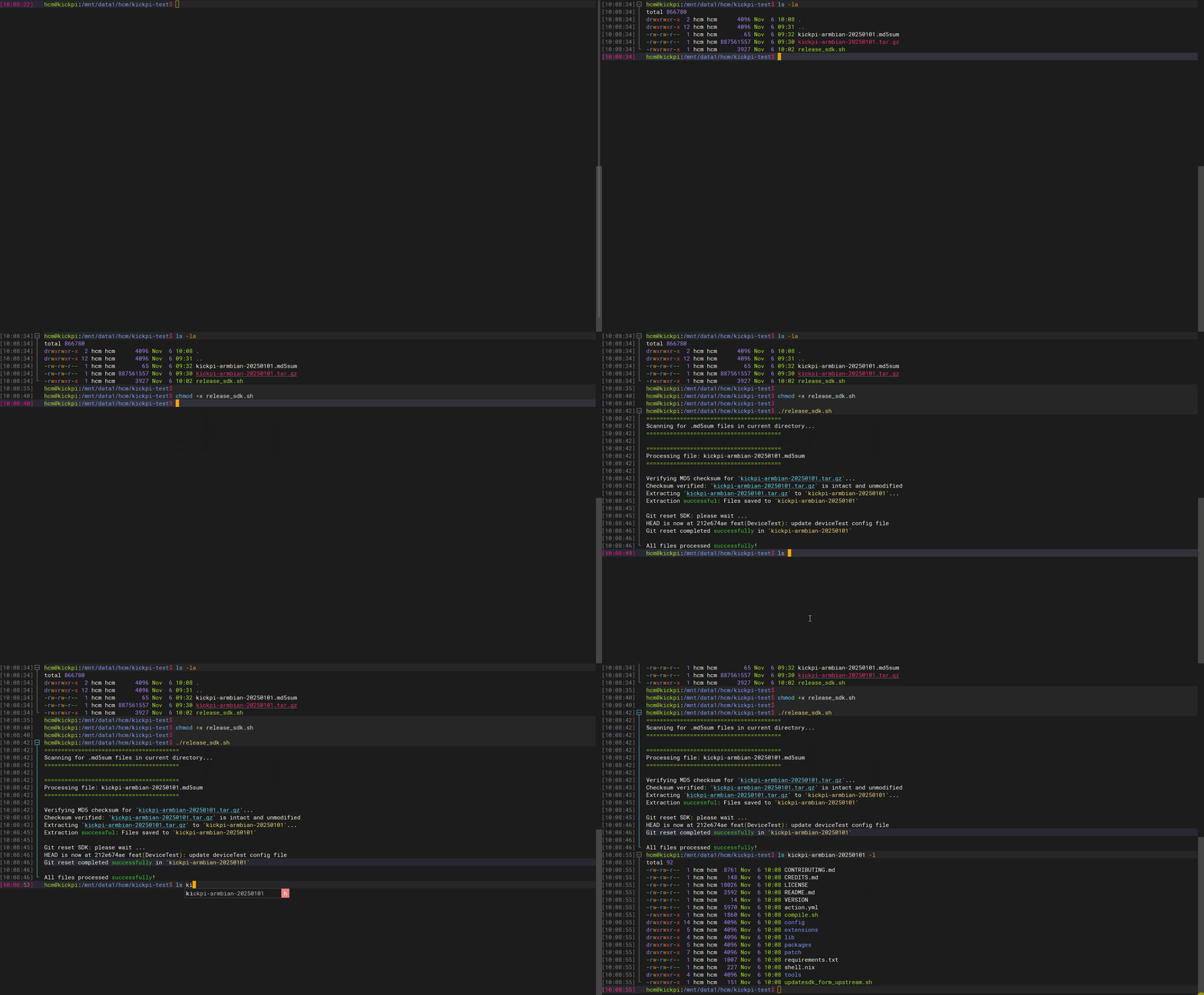
1. Run the script to extract SDK source
Diagram
Full Compilation
When running build.sh for the first time, you must select the target filesystem and configuration.
- SDK build configuration
$ ./build.sh lunch
All available system:
   0. buildroot
   1. ubuntu
default [buildroot]: 0  // Select the system to build
All available display:
   0. lvds-lcd
   1. mipi-lcd
default [lvds-lcd]: 0  // Select the display output
All available nand size:
   0. 256MB
   1. 512MB
default [256MB]: 0  // Select the configuration
- Build the image
Tip
The generated system image is located at out/update-t113-s3-kickpi-k4b-xxxxxxx.img
Partial Compilation
Build Uboot only
Build Kernel only
Build Buildroot only
Additional Commands
Kernel configuration
Tip
Configuration file path: device/config/chips/t113/configs/evb1_auto/linux-5.4/config-5.4
Buildroot configuration
Tip
Configuration file path: buildroot/buildroot-201902/configs/sun8iw20p1_t113_defconfig
Compilation Toolchain
After compilation, the toolchain is located at: