Building Android SDK
Build Environment
Set up the environment on a PC to compile the Android/Linux SDK.
Preparation
Install Ubuntu on a PC for SDK compilation.
- Hardware: PC with RAM ≥ 16 GB, CPU cores ≥ 4, Hard Drive ≥ 500GB
- Software: Ubuntu 22.04, allocate ≥ 200GB disk space if you are using virtual machine ENV
Dependency Installation
1. Open the Terminal, and switch to root user or use sudo.
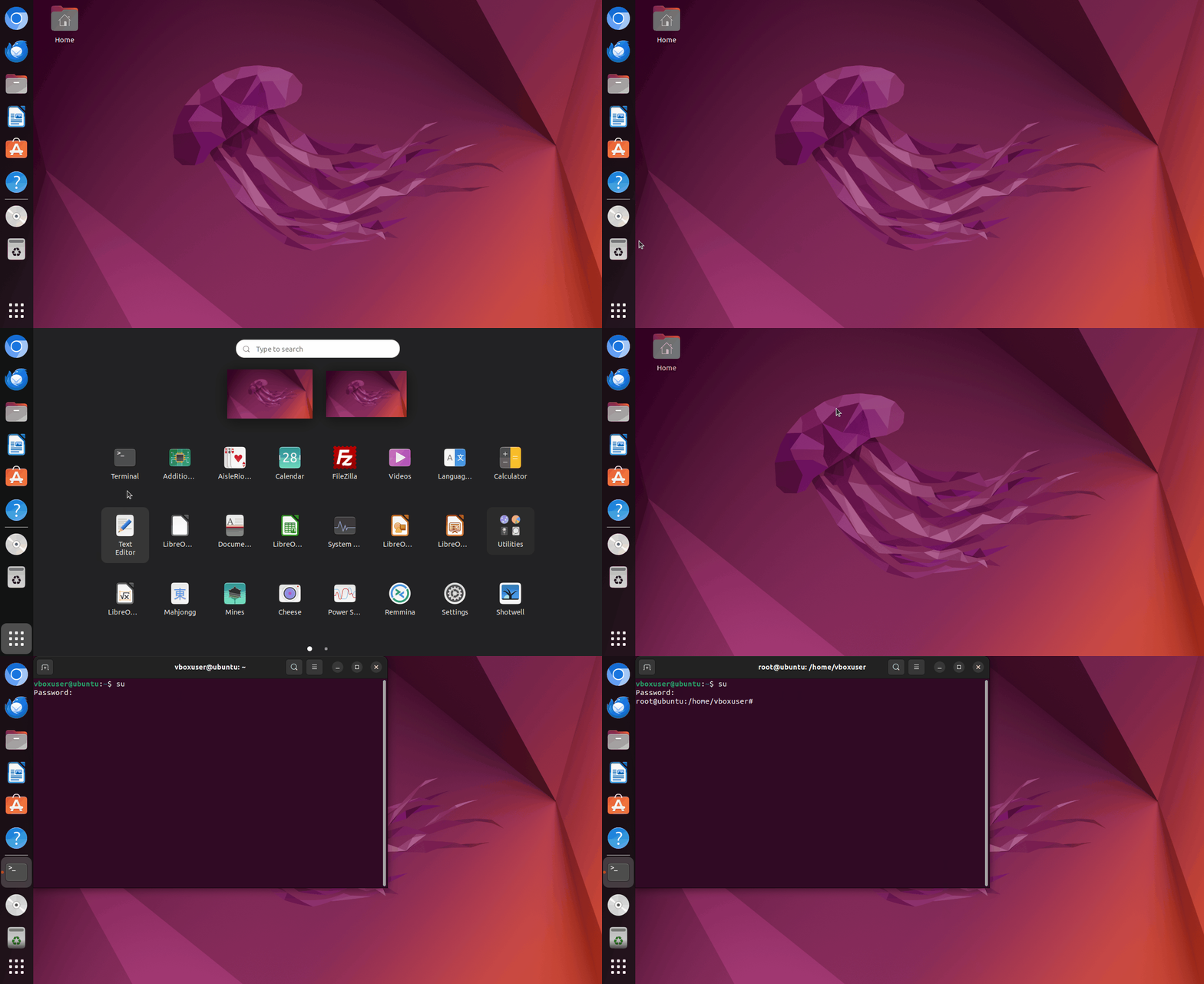
2. Enter the following commands sequentially to install the dependencies.
```
sudo apt install git bc bison build-essential curl flex libsdl1.2-dev
sudo apt install g++-multilib gcc-multilib gnupg gperf libncurses5-dev
sudo apt install imagemagick lib32ncurses5-dev lib32readline-dev squashfs-tools
sudo apt install lib32z1-dev liblz4-tool xsltproc libssl-dev libwxgtk3.0-gtk3-dev
sudo apt install libxml2 libxml2-utils schedtool lzop pngcrush rsync
sudo apt install yasm zip zlib1g-dev python3 device-tree-compiler
sudo apt install python-pip gawk openjdk-8-jdk u-boot-tools patchelf expect
sudo pip install pyelftools
```
Obtaining SDK Source Code
Note
1. Source code MUST NOT be placed in a HOST shared folder for building if you use a virtual machine ENV.
2. DO NOT build source as ROOT.
1. Download SDK . Copy the source code archive to the build host directory.
2. Verify file integrity using MD5.
Example: If the MD5 checksum file for the downloaded SDK code file is named t527-android13.0-20251103.md5, execute the following command to verify file integrity:
Execution Result:
3. Extract the source code archive.
Example: If the source code archive is named t527-android13.0-20251103.tar.gz, execute the following command to extract it:
Execution Result: You will see output similar to the following:
./.git/
./.git/objects/
./.git/objects/info/
./.git/objects/pack/
./.git/objects/pack/pack-1c772b481d2d4daa60f5065d9dde9eba68aa09f4.pack
./.git/objects/pack/pack-1c772b481d2d4daa60f5065d9dde9eba68aa09f4.idx
./.git/objects/pack/pack-f3436a64e1037f9724ac55cf89574b61f11e60a5.pack
./.git/objects/pack/pack-f3436a64e1037f9724ac55cf89574b61f11e60a5.idx
./.git/description
./.git/branches/
./.git/FETCH_HEAD
./.git/hooks/
./.git/hooks/applypatch-msg.sample
./.git/hooks/pre-commit.sample
.....
........
5. After extraction is complete, if the source directory only contains a .git folder, enter the following command to restore the source directory:
git reset --hard
Initial Compilation Configuration
The build environment needs to be configured for the first compilation. If the SDK location remains unchanged subsequently, this configuration does not need to be repeated.
1. In the extracted source code directory, execute the following command to enter the longan directory:
cd longan
2. Execute the following command to configure the core information for the development board:
Execution Steps:
!!! Warning Please configure according to the example below.
Select the following configuration
========ACTION List: mk_config ;========
options :
All available platform:
       0. android
       1. linux
Choice [android]: 0
All available ic:
       0. a523
       1. a527
       2. t527
Choice [t527]: 2
All available board:
       0. demo
       1. demo_battery
       2. demo_car
       3. demo_fastboot
       4. demo_linux_aiot
       5. demo_linux_car
    Choice [demo]: 0
All available flash:
       0. default
       1. nor
 Choice [default]: 0
3. After completing above steps, execute the following command to select the specific board model:
Tip
Here we select the second option, choose the number 2.
will lunch sdk

You're building on Linux
Lunch menu...pick a combo:

1. BoardConfig-t527-default.mk
2. BoardConfig-t527-kickpi-k9.mk
Which would you like? [0]: 2
Building the full Image
1. Before building the full image, return to the extraction directory by executing the following command:
2. Execute the command to start building the full image:
Note
The building speed depends on the computer's hardware performance. Typically, the compilation time ranges between 30 minutes and 90 minutes.
Generated image directory: longan/out/update-t527-kickpi_k9_v1.0-android13-lvds0-7-1024-600-2025110410-v1.0.img
Execution Result:

Build part images individually
Tip
Building U-Boot, Kernel, and configuring the kernel are all executed in the longan directory.
Build U-Boot Separately
Build Kernel Separately
Configure Kernel
Build Android standalone
Tip
Build Android in SDK's root folder.
Device Tree Paths
Tip
U-Boot and Kernel each have their own device tree files.
Kernel device tree path:
U-Boot device tree path: